Build a Powerful Rental Property Excel Sheet From Scratch
Learn to create the ultimate rental property excel sheet with our guide. We cover key formulas, analysis, and provide insights to master your investments.
Every seasoned real estate investor I know has one—a battle-tested rental property excel sheet. It’s more than just a place to track expenses; it's the command center for your entire operation. This single document is what translates a property listing's raw data into the critical insights you actually need: cash flow, ROI, and a clear picture of long-term profitability.
Why a Smarter Spreadsheet Is Your Best Investment
Let's get one thing straight. There's a world of difference between a simple expense tracker and a true investment analysis tool. An expense list is a financial rearview mirror; it just tells you where you've been. A dynamic, well-built rental spreadsheet is your GPS, showing you exactly where you are and mapping out the best routes to your financial goals.
A truly powerful spreadsheet goes way beyond basic accounting. It becomes the engine for your decision-making, letting you vet a potential deal from every conceivable angle before you even think about writing an offer. This is what separates the pros from the rookies. Successful investors stress-test their numbers and make choices based on data, not gut feelings.
Moving from Tracking to Forecasting
The real magic happens when you shift from just logging past events to forecasting future performance. Instead of just noting a $500 plumbing bill, you can model how different maintenance costs, rent changes, and vacancy rates will ripple through your finances over the next 10 years. This predictive power is what transforms a spreadsheet from a boring logbook into your most valuable analytical partner.
A smart spreadsheet lets you do things like:
- Deal Evaluation: Got a new property in your sights? Plug in the purchase price, expected rent, and estimated taxes to get an immediate read on its viability.
- Performance Monitoring: Compare your actual income and expenses to what you projected. Are you on track, or is there a leak in the boat?
- Scenario Planning: Instantly see how a 1% jump in interest rates, a two-month vacancy, or a surprise property tax hike would impact your cash flow and returns.
A well-structured spreadsheet doesn't just tell you if a property is profitable today; it reveals how resilient that investment will be against future uncertainties. It’s about building a margin of safety into every decision.
Ultimately, this document is often the dividing line between a high-performing asset and a money pit. By forcing you to account for all the hidden costs, project your cash flow, and calculate crucial metrics like Cash-on-Cash Return and Cap Rate, it gives you the clarity to invest with confidence. It's not just about crunching numbers—it's about making smarter, more profitable decisions.
Laying the Groundwork: Your Core Inputs and Property Details
The entire predictive power of your rental property spreadsheet boils down to one simple truth: what you put in is what you get out. "Garbage in, garbage out" isn't just a saying for coders; for real estate investors, it’s a financial reality. That’s exactly why we start by building a dedicated 'Inputs' tab. This will be your central command center, the one-stop-shop for every critical number related to the deal.
Think of this tab as the property's financial DNA. Every vital statistic, from the purchase price down to the pesky little HOA fee, lives here. By keeping all your assumptions in one clean, organized place, you create a powerful, repeatable template. Want to analyze another property? Just duplicate the sheet, plug in the new numbers, and you've got instant insights without reinventing the wheel.
It's a straightforward flow: accurate data fuels reliable calculations, which in turn leads to smarter, more confident investment decisions.
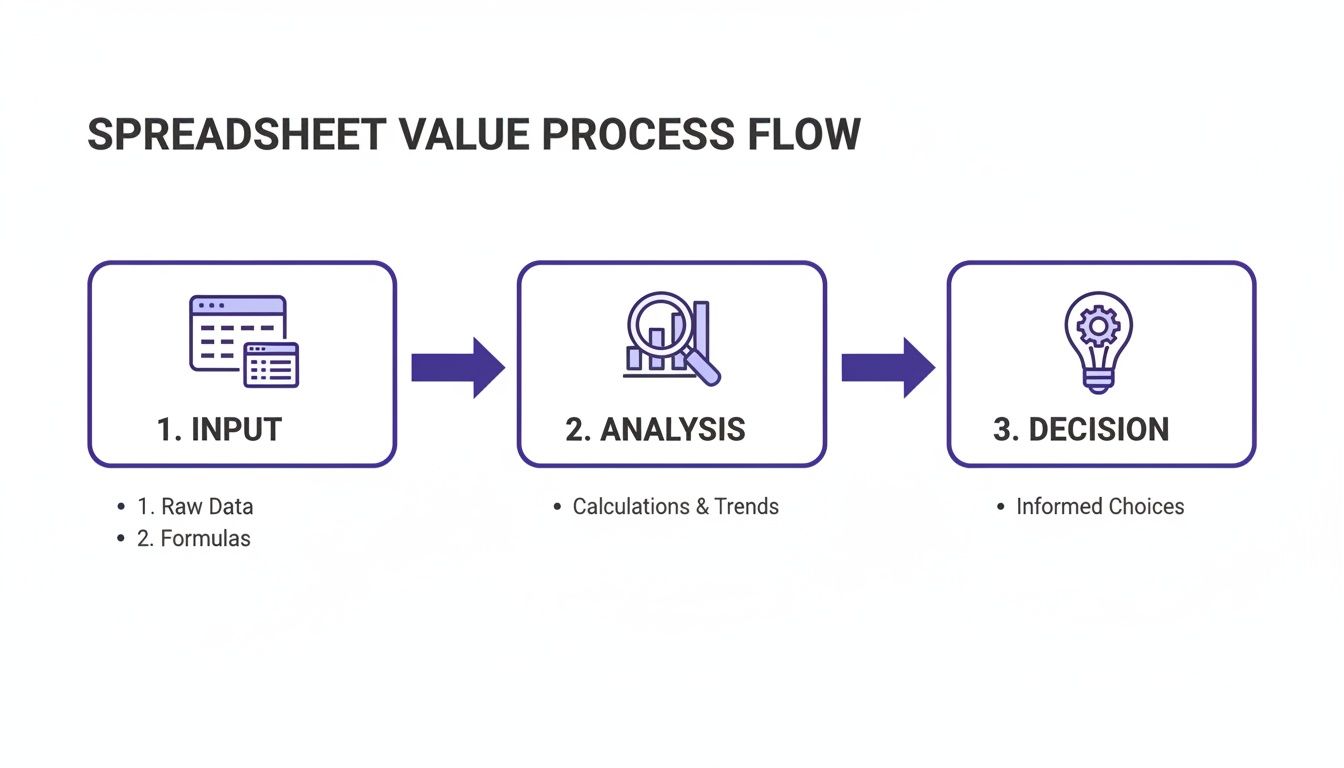
This process is your foundation. Get this part right, and the rest of your analysis will actually mean something.
Nailing Down Acquisition Costs
First up, let's get a handle on what it truly costs to get the keys in your hand. This is about more than just the price on the listing—we need to account for every dollar of capital required to actually close the deal.
In your inputs sheet, create cells for these key acquisition numbers:
- Purchase Price: The number you and the seller agreed on. Simple.
- Down Payment: I like to track both the percentage and the final dollar amount here.
- Closing Costs: Be realistic. A safe bet is 2-5% of the purchase price to cover title insurance, appraisal fees, loan origination, and all the other little things.
- Initial Repair/Renovation Budget: A rookie mistake is forgetting this. How much cash do you need on day one to get the property rent-ready?
Outlining Loan and Financing Details
With the purchase costs sorted, let's turn to the loan. These details are essential because they feed directly into our amortization schedule and the calculation for your total monthly housing payment, often called PITI (Principal, Interest, Taxes, and Insurance).
Make sure your financing section has spots for:
- Loan Amount: Just a simple formula: Purchase Price - Down Payment.
- Interest Rate: The annual rate your lender is giving you.
- Loan Term: The length of your mortgage in years—usually 15 or 30.
- Annual Property Taxes: You can typically pull this from the county assessor's website or the real estate listing itself.
- Annual Insurance Premium: Don't guess. Call an insurance agent and get a real quote for a landlord policy.
My Two Cents: Always enter taxes and insurance as annual figures on your inputs tab. It keeps things clean and makes it much easier to break them down into monthly amounts for your cash flow analysis later on.
Projecting Your Operational Expenses
Finally, we need to map out the ongoing costs of keeping the property running. This is where wishful thinking can absolutely crush a deal. Being brutally honest with yourself here is non-negotiable.
For a really deep look at all the potential costs you might face, I'd recommend checking out our complete guide on building a rental income and expenses spreadsheet. It’s a great way to make sure nothing slips through the cracks.
At a minimum, your operational inputs must include:
- Gross Monthly Rent: Your best estimate based on solid market research and comparable properties (comps).
- Vacancy Rate: Factor in the downtime. A 5-8% vacancy assumption is a common and safe place to start.
- Repairs & Maintenance Reserve: Things break. Setting aside 5-10% of the rent each month for future fixes is a smart move.
- Capital Expenditures (CapEx) Reserve: This is for the big stuff—a new roof in ten years, an HVAC system in twelve. Another 5-10% of rent is a good starting point for this fund.
- Property Management Fee: If you aren't self-managing, plug in the fee. This usually runs between 8-12% of collected rent.
- HOA Fees: If there’s an HOA, this is a fixed monthly cost you can't ignore.
Mastering the Formulas That Drive Real Estate Analysis
Alright, you’ve got all your raw data plugged into the inputs tab. Now it’s time for the fun part—making those numbers talk. The formulas we're about to build will take that static information and turn it into real, actionable intelligence. This is the moment your spreadsheet goes from being a simple list of numbers to a powerful deal-analysis machine.
These calculations are the absolute bedrock of real estate investing. They’re the metrics that will quickly tell you if a potential deal is a home run or a complete dud. We’ll zero in on the big four: Net Operating Income (NOI), Cash Flow, Cash-on-Cash Return, and the Capitalization (Cap) Rate.
Calculating Net Operating Income (NOI)
First up, and arguably the most fundamental metric, is Net Operating Income (NOI). I always think of NOI as a property’s pure, unlevered profitability. It tells you exactly how much money the asset itself can generate, completely separate from whatever financing you’ve arranged.
The formula couldn’t be simpler:
NOI = Gross Rental Income - Total Operating Expenses
In your spreadsheet, you’ll get your Gross Rental Income by taking the total potential rent and subtracting your vacancy allowance. From there, you just subtract the sum of all your operating costs—things like property taxes, insurance, maintenance reserves, CapEx, property management, and any HOA fees. The critical thing to remember here is that you absolutely do not include your mortgage payment. We'll get to that in a minute.
Let's say a property could bring in $24,000 a year in rent. You factor in a 5% vacancy rate ($1,200), and you have $7,000 in annual operating expenses. Your NOI would be $15,800. This number is vital because it's the foundation for several other key calculations, especially your Cap Rate.
Determining Monthly and Annual Cash Flow
Next, we have Cash Flow. For most investors, this is the metric that matters most because it’s the actual cash that ends up in your bank account. After every single bill is paid—including the mortgage—this is what’s left over. It’s the ultimate litmus test for a property's financial health.
This formula builds directly off the one we just did:
Cash Flow = NOI - Debt Service (Mortgage Payments)
To get this in Excel, you’ll just take your annual NOI and subtract your total mortgage payments for the year (both principal and interest). If the number is positive, congratulations—the property is putting money in your pocket. If it's negative, you’ll have to feed the property cash to keep it going. Don't write off a negative cash flow property on sight, especially in hot appreciation markets, but go in with your eyes wide open about the costs.
Finding Your Cash-on-Cash Return
While cash flow tells you how much money you’re making, your Cash-on-Cash (CoC) Return tells you how hard your invested money is working for you. It’s a direct measure of your annual cash flow against the total amount of cash you personally put into the deal. For a deeper look at this crucial metric, our guide on how to calculate ROI on a rental property is a great resource.
The formula looks like this:
CoC Return = Annual Cash Flow / Total Cash Invested
Your "Total Cash Invested" is everything you paid out of pocket: your down payment, all the closing costs, and any initial repair or renovation funds (sometimes called "make-ready" costs). Getting a 10% CoC return means for every dollar you invested, you're getting ten cents back each year. It’s an incredibly powerful way to compare completely different investment opportunities on a level playing field. For example, you can use it to compare a rental property's performance against something like understanding the Return on Investment for a bathroom remodel on your own home.
I’ve seen so many new investors make the mistake of focusing on just one metric. A property might have fantastic cash flow, but if it required a massive down payment, the CoC return could be terrible. You have to look at all these formulas together to get the full financial story.
Understanding the Cap Rate
Finally, let's talk about the Capitalization Rate (Cap Rate). This metric helps you evaluate a property’s potential return relative to its current market value, completely ignoring the financing. It’s a favorite among commercial brokers and savvy investors for quickly comparing similar properties in a given market.
It's another straightforward formula:
Cap Rate = NOI / Property Market Value
Generally, a higher cap rate suggests a higher potential return, but often comes with higher risk. A lower cap rate usually points to a safer, more stable property in a prime location. In the U.S., average gross rental yields were sitting at 6.56% in Q4 2023, which really underscores how important it is to track your numbers precisely. Using your rental property excel sheet to filter deals by your target cap rate is a pro-level move for finding the best opportunities out there.
Building a Dynamic Loan Amortization Schedule

Knowing your monthly mortgage payment is one thing, but truly understanding your loan means seeing exactly how you're building equity over time. This is where a dynamic amortization schedule becomes one of the most powerful parts of your rental property spreadsheet.
It’s a detailed, payment-by-payment breakdown that shows you precisely where every dollar is going. You get to watch your loan balance shrink and your equity grow with each payment, which is incredibly motivating and essential for long-term planning. It's not nearly as complicated to build as it sounds, either.
Just pop open a new tab in your spreadsheet—call it "Amortization"—and we'll use a few of Excel's built-in financial functions to map out the entire life of the loan.
Core Formulas for Your Schedule
To bring your schedule to life, we'll lean on three main formulas. These will pull directly from the loan details you’ve already logged on your 'Inputs' tab (loan amount, interest rate, term, etc.).
- PMT Function: This is the workhorse that calculates your fixed monthly payment (principal and interest). The formula is
=PMT(rate, nper, pv). You’ll feed it your monthly interest rate, the total number of payments, and the original loan amount. - PPMT Function: This isolates the principal portion of any given payment. It’s the part that actually reduces your loan balance.
- IPMT Function: This calculates the interest portion of the payment. Watching this number decrease month after month is a fantastic indicator that you're making real progress.
Pro Tip: Set up your amortization table with columns for Payment Number, Beginning Balance, Total Payment (from PMT), Principal Paid (PPMT), Interest Paid (IPMT), and Ending Balance. This layout gives you a crystal-clear snapshot of your loan's health at any point in time.
The Power of Extra Payments
Now for the fun part. This is where your spreadsheet goes from a simple tracker to a strategic weapon for building wealth.
Add one more column to your schedule and call it "Extra Principal Payment."
This is your playground. Plug in a small extra amount—even just $50 or $100 a month—and watch what happens. You'll see the total interest you pay over the life of the loan drop dramatically, and you’ll literally see years get shaved off your mortgage.
Being able to model these scenarios is a game-changer. With a global housing shortage of 6.5 million units pushing more people toward renting, smart investors are using every tool at their disposal. In fact, with over 80% of some households now renting, the ability to analyze debt and yields gives you a massive advantage. You can explore more on this trend toward global living reimagined on Hines.com.
By modeling extra payments, you’re no longer just tracking a loan; you're actively finding the fastest, most efficient path to owning that asset free and clear.
Stress-Testing Your Deals with Sensitivity Analysis

A good spreadsheet tells you if a deal works today. A great one tells you if it will still work when things inevitably go wrong. That’s the real power of sensitivity analysis.
The market is never as clean as our initial projections. Interest rates wiggle, a good tenant leaves unexpectedly, or the water heater gives out. Stress-testing your assumptions is how you move from being a simple calculator to a strategic risk manager. It’s all about finding the breaking points before your money is on the line.
Building “What-If” Scenarios
The easiest way I’ve found to do this is to build a dedicated "Scenario Analysis" section right on the inputs tab. Instead of having just one box for "Interest Rate," you create a small table to model a few different futures.
It could look something like this:
- Best Case: The 6.5% rate your lender quoted you.
- Moderate Case: What if rates tick up to 7.0% before you close?
- Worst Case: A bigger jump to 7.5% that you need to be prepared for.
Then, you can use a simple drop-down menu to select a scenario, and watch your key metrics—like cash flow and ROI—update instantly. Seeing your cash flow get cut in half from a 1% rate hike is a powerful reality check.
Pro Tip: The goal here isn't to be a fortune-teller. It's about understanding how sensitive your deal is to outside forces. If your investment only pencils out at today's perfect interest rate, that's a huge red flag.
The Most Important Variables to Test
Interest rates are just the start. A truly robust analysis tool lets you tweak several key levers to see how the whole financial picture changes.
I always build in toggles or input cells for these variables:
- Vacancy Rate: What happens if your vacancy jumps from the planned 5% to 10% for a year? Does the property still break even?
- Rental Income: Let's say the market softens and you have to drop the rent by $100 a month. How does that impact your bottom line?
- Major Repairs: Can the property's cash flow handle a surprise $5,000 HVAC replacement in year two? This is a fantastic way to check if your capital expense reserves are realistic.
Playing with these numbers is where the magic happens. For example, the U.S. national median rent was around $1,373 in late 2024, but overall rents actually dipped 0.6% nationally, with huge swings between different cities. An investor looking at a high-yield market like Memphis (averaging a 7.2% yield) needs a spreadsheet that can model both scenarios—rising rents and sudden vacancies—to navigate those mixed signals. This data is from a 2025 rental market trends report on resimpli.com.
By pushing these numbers around, you find out just how resilient a property is. This lets you walk into a deal with your eyes wide open. To dig even deeper into long-term performance, take a look at our guide on using an internal rate of return calculator for real estate.
Knowing When to Graduate from Your Spreadsheet
Look, your rental property spreadsheet is a fantastic starting point. It's your workhorse when you're getting your feet wet. But once you start scaling from that first property to your fifth, and then your tenth, you'll feel the growing pains.
What used to be a quick five-minute analysis suddenly becomes a black hole of manual data entry. You're constantly updating numbers, and the risk of a simple typo or a broken formula throwing off your entire financial picture becomes very real. I've seen it happen.
This is the tipping point where the risk of a manual system starts to outweigh the convenience. As your portfolio gets more complex, juggling different tax situations, depreciation schedules, and optimizing performance across multiple properties in a spreadsheet is just asking for trouble. When you hit this wall, it's a smart move to look into professional real estate accounting services to keep your books clean and your strategy sound.
Shifting from Manual Entry to Automation
Think about all the hours you burn just pulling comps, digging up tax data, and plugging everything into your spreadsheet for every single property you analyze. That’s time you could be spending making offers or walking through potential deals.
This is where specialized real estate analysis platforms really shine.
Tools like Property Scout 360 are built specifically to automate this grind. Instead of being chained to your desk crunching numbers, you get instant ROI, cash flow, and cap rate calculations. This frees you up to focus your energy on what actually matters: finding and closing great deals, not managing data.
A Few Common Questions I Hear All the Time
When you're first getting your hands dirty with a rental property spreadsheet, a few questions always seem to pop up. Trust me, I've asked them myself. Getting these fundamentals right from the start can save you a ton of headaches and keep you from making some surprisingly common (and costly) mistakes.
"Should I bake my mortgage payment into the NOI calculation?"
This is probably the number one question I get. The answer is a hard no. Your Net Operating Income (NOI) should never include your mortgage payment.
Think of NOI as a "pure" measure of the property's earning power, completely separate from how you financed it. This allows you to compare two different properties on an apples-to-apples basis, regardless of whether one was bought with cash and the other with a 20% down loan.
"Are the fees I pay my property manager tax-deductible?"
Absolutely, and you should be taking full advantage of this. The IRS views property management fees as a necessary business expense, meaning they are 100% deductible. This covers everything from the monthly percentage they take to any one-off leasing fees for placing a new tenant.
The key here is meticulous record-keeping. Your property manager should give you a detailed year-end statement. Hold onto it—it's gold when tax time rolls around.
Here's a pro tip: Don't just stop at the management fees. So many new investors miss out on deducting things like their home office, subscriptions to property management software, and even the mileage they put on their car driving to and from their rentals.
"Can I depreciate the value of the land?"
Nope, land is not depreciable in the eyes of the IRS. Depreciation is a powerful tax break that only applies to the physical structure—the building—and any capital improvements you make over the years (think a new roof or a full kitchen remodel).
When you're building out your spreadsheet, you have to split the total purchase price between the building and the land. The easiest way to find this split is usually on your local property tax assessment. Getting this right is crucial for calculating your annual depreciation, one of the best tax benefits real estate has to offer.
Tired of plugging numbers into spreadsheets and ready to find deals faster? Tools like Property Scout 360 can do the heavy lifting for you. It automates the entire analysis, giving you instant cash flow, cap rate, and ROI projections on properties nationwide. It’s a great way to find your next investment with a lot more confidence.
About the Author
Related Articles
2026 Investor's Guide: Cost of Installing a Sewer Clean Out
Understand the cost of installing a sewer clean out for investment properties in 2026. Get expert advice on prices, ROI, & budgeting for flips. Plan smart!
15 Year vs 30 Year Mortgage: The Investor's Choice
Deciding between a 15 year vs 30 year mortgage for a rental property? Our guide analyzes cash flow, ROI, and equity to help you pick the best loan.
Real Estate Appraisal Software: Features & Limits
Discover what real estate appraisal software is, its core features, and limits. See how it differs from investment tools for profitable deals.
